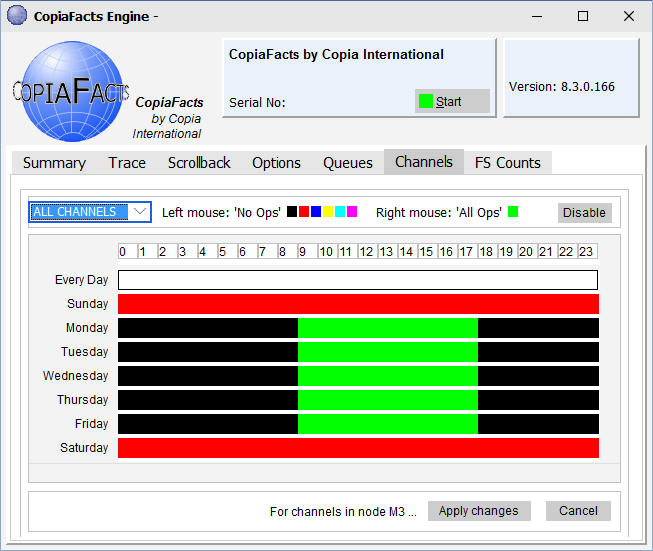
The Channels page allows dynamic setting of the allowable channel operations on each channel. You can select between 'no operations', 'all available operations' and up to six different customizable combinations of channel operations. The groups of operations are distinguished by using different colors.
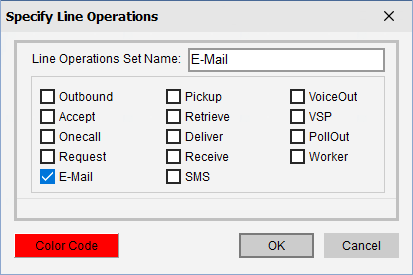
For the six variable sets of channel operations, you can right-click the Color index tab to change the name and operations selected by that color. The channel operations available are those that are selected in CFHWL for the channel. A check in the box is ignored if the channel is not configured for the operation.
Channels may also be completely disabled. The Channels page only affects channels in the same machine, and changes have immediate effect. Changes made for a service, in 'management mode' will take effect at the next schedule change point, 0, 15 30 or 45 minutes past the hour.
