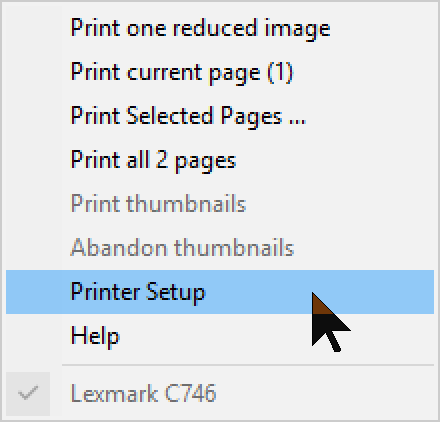
There are eight items on the print menu. The menu text may vary slightly depending on what you are actually doing at the time you invoke the menu, and the button icon will change between the three alternate images shown above. When thumbnail images are waiting to be printed, the icon changes from showing plain white paper to showing paper with dots (images) on it. Immediately after a page has been scheduled for printing, menu items which start further printing are disabled. Please wait until the Windows printer driver has returned control of printing to FFVIEWER, during which time the printer menu button will display in red.
| Add thumbnail | This option allows you to add one more image to the page. |
| Print Setup | Invokes a normal Windows print setup dialog to select a printer. |
| (current printer) | The name of the currently selected printer is displayed at the foot of the menu for reference, as a 'disabled' menu item. |
Short-cut Key: P (Print).