CopiaFacts Housekeeping Service 
CFHK
CFHKLOCAL
CFHKSERVICE /install
net start|stop CFHKSERVICE
This service application maintains, and performs, CopiaFacts housekeeping tasks for archiving and deletion of time-expired files. It is set up and configured using the CFHK program:
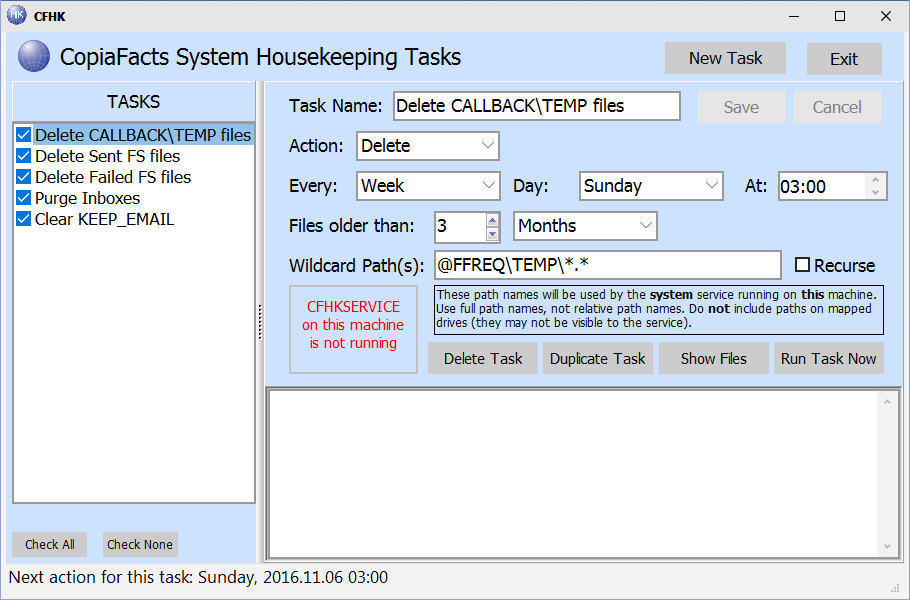
The program manages the settings for the CopiaFacts Housekeeping Service CFHKSERVICE, which performs regular archiving and file deletion functions in the background.
Three modes of operation
The management program CFHK operates in three different ways, distinguished by different background colors:
Program Name: |
Runs on: |
Configures Windows Service: |
Parameters Database: |
Typical housekeeping: |
CFHK |
\COPIA Fileserver |
On FileServer |
In COPIA\FAXFACTS\CFHK.DB |
System temp files and older files |
CFHKLOCAL |
Other Network Machines |
On Local Machine |
Windows APPDATA\ |
Local files and network files |
CFHK |
Administrator's Machine |
On File Server |
in COPIA\FAXFACTS |
System temp files and older files |
 | Take great care if you use CFHK on a machine other than the file server (it will set a red background color). You are configuring paths as viewed by the Windows service running on the FileServer, not on your own machine. |
System Housekeeping
The CopiaFacts Server Installer only installs the CFHKSERVICE when it the installer is run on the same machine as the COPIA share. The sample database of housekeeping tasks (CFHK.DB) is also installed in the COPIA\FAXFACTS folder if this file is not already present. When the CFHKSERVICE service runs on the same machine as the COPIA share, it always uses COPIA\FAXFACTS\CFHK.DB as its repository of tasks.
The CFHK program can be run on any machine connected to the COPIA share on which the server installer has been run, and manages the central database of tasks. However when you run it on a machine other than the file server you cannot preview or run an action unless all its paths contain a reference to @FFBASE or one or the other main folder variables.
| When you manage tasks with CFHK, it always uses the main CFHK.DB and path names in this file should be local to the machine on which the COPIA share resides. |
| We recommend always using absolute paths, starting @FFBASE or one of the other main folder variables. However if you use a relative path, it will be based on the @FFBASE folder. |
Local Housekeeping
Administrators of larger systems may wish to run housekeeping tasks on local folders or on other network machines, without using CFHKSERVICE running on the main file server. This may be essential when the COPIA share is located on a non-Windows file system. This can be set up manually as follows:
•Copy the CFHK.exe program (in the local Program Files\Copia folder) to CFHKLOCAL.exe. When run as CFHKLOCAL, the program will operate with a local CFHKLOCAL.db database, and will prompt to create an empty database if there is not one already. The database is located in the Windows All Users APPDATA folder, under COPIA\CFHK.
•Install the CFHKSERVICE service application from the local Program Files\Copia folder by running it as administrator with the /INSTALL parameter:
CFHKSERVICE /install
•The service will be set to start automatically. Start it manually the first time with NET START CFHKSERVICE.
•When the service runs on a different machine to that of the COPIA share, it always uses COPIA\CFHKLOCAL.DB under All Users APPDATA as its repository of tasks.
You can also install the service using CFHKSERVICE /uninstall
The heading line in the CFHKLOCAL window substitutes 'Local' for 'System' to indicate that the local database is in use, and the background color changes to yellow (except on some early versions of Windows):
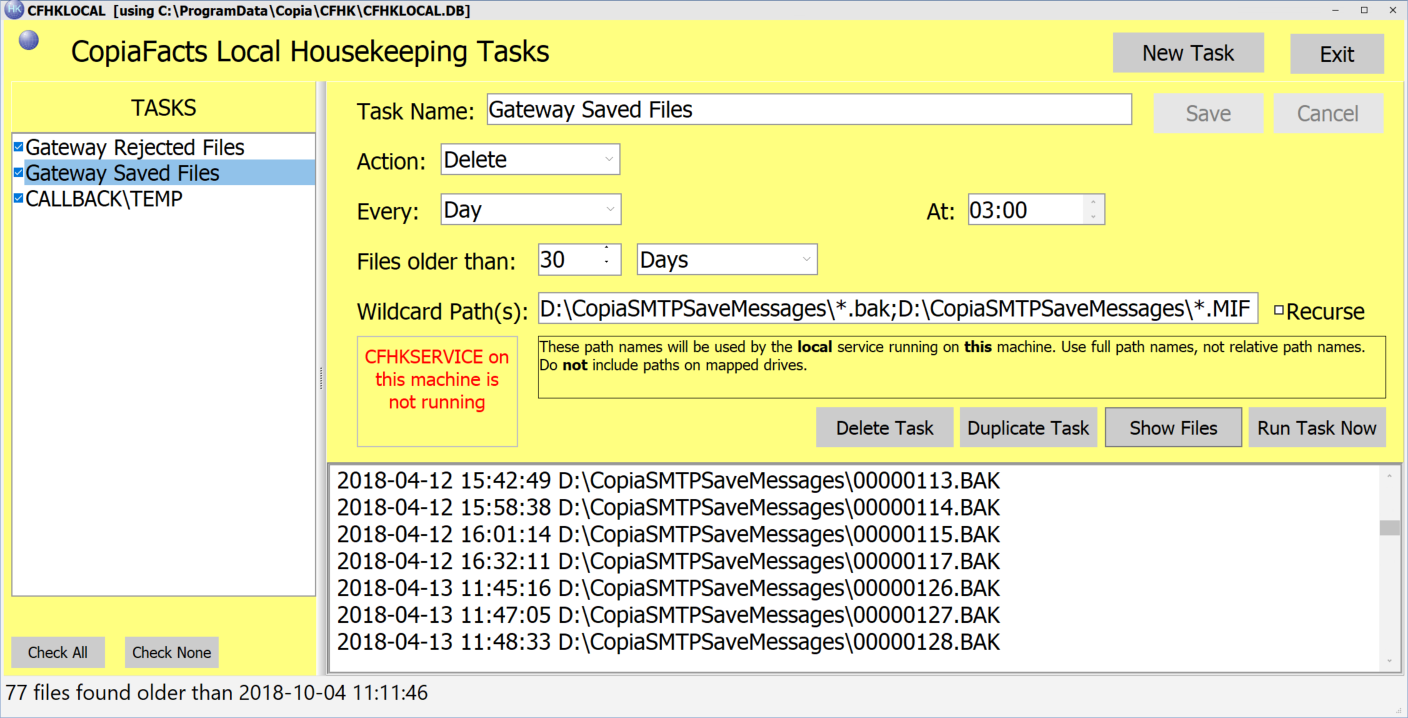
Note that CFHK and CFHKLOCAL cannot be run concurrently on the same machine to configure fileserver and local tasks respectively. This is by design. If you attempt to run one when the other is active, the running instance will get the focus and the second program window will not appear.
Housekeeping Actions
Three 'action' types are currently supported: simple deletion, archive ('Zip and delete'), and 'UJArchive'. The last corresponds to the old UJARCHIVE program and implements the archiving and deletion specified on the Client Administrator 'Archiving and Deletion' tab. ZIP files created by CFHKSERVICE have a filename based on the date and time at which the file was created.
Wildcards
In the Wildcard Paths edit box, Windows wildcards (* and ?) are permitted in any folder, but not in the machine or share name. Do not use mapped drive letters in the paths to be used by this program. Mapped drives are usually not visible when the service application actually runs the processing.
Examples:
| CALLBACK\TEMP files: | @FFREQ\TEMP\*.* |
| Client received TIF files: | @FFJOBS\*\inbox\*.tif |
| Sent FS files: | @FFREQ\SENT\*.FS |

