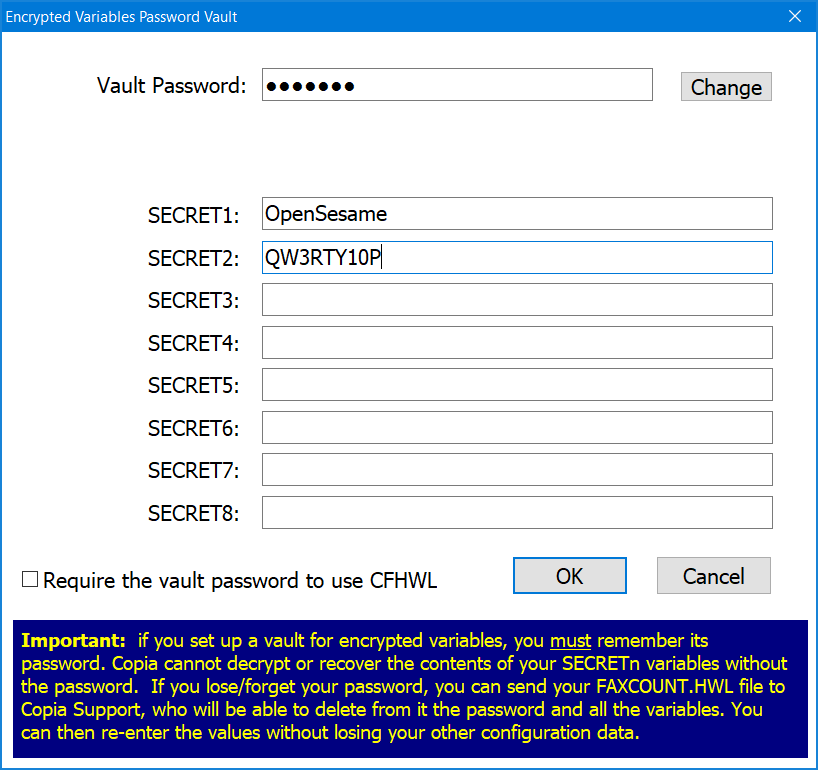
Pressing the 'Edit Encrypted Variables' button on the company details page brings up a dialog to edit the values of the SECRETx variables. This allows the system administrator to assign a Vault Password, and enter up to 8 variable values which are to be made available to CopiaFacts scripting. If a Vault Password has already been set, the values will not be visible until it has been entered.
For more information on using these variables, see Encrypted Variables.
To delete the Vault Password and all variables, press the Change button and clear both of the two key entry fields. A warning will be displayed if you confirm this change.
The Vault Password is saved in encrypted form in FAXCOUNT.HWL and is also used to encrypt the data fields. The COPIAFACTS program decrypts the data when a SECRETx variable is referenced in an authenticated infobox file.
The Vault Password does not prevent normal editing of the HWL file unless you check the 'require this password to use CFHWL' checkbox, in which case this password will be requested when you run CFHWL. Updating your license with a .CopiaKey file does not affect the stored password and variables.
