Introduction
Cloudli offer an encrypted FoIP service, using their CryptAgent, which is fully supported by CopiaFacts.
Special Firewall settings are needed for CryptAgent, as described in the main Cloudli topic. These settings in the linked topic supersede those currently in the PDF documentation in the CryptAgentService download.
Installing and Configuring CryptAgent
Install the SIPCryptAgent as a Windows Service:
Login to your machine as Administrator.
•Ensure that a version of Open Java SDK version is installed.
1.We recommend installing the Amazon Corretto Java version .
2.You can download this from:
https://corretto.aws/downloads/latest/amazon-corretto-17-x64-windows-jdk.msi
3.Reboot after the install to ensure you have a clean Java environment.
•Extract the SIPCryptAgent Java Archive file.
1.Download the Cloudli SIPCryptAgentService from https://apps.cloudli.com/Telephone/CryptAgentService_2.2.zip.
2.Extract the contents of SIPCryptAgentService.zip to a folder on your disk.
3.You will find the SIPCryptAgentService.jar file in that folder.
•Install the SIPCryptAgent Service.
Double click on SIPCryptAgentService.jar to run the application.
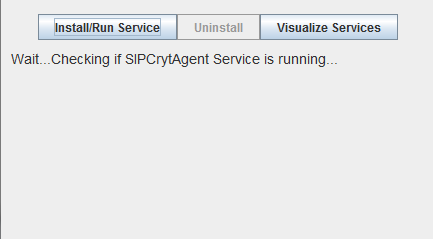
Wait until the application is ready to Install/Run.

Click on “Install/Run Service” - the client will run through a series of tests.
Verify that the KEY, SIP & RTP tests succeeded.
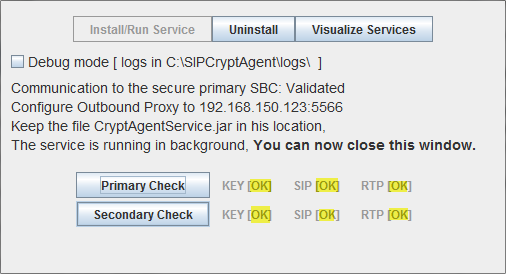
You may verify that the service did start by clicking on “Visualize Services” and looking for the service named "_SIPCryptAgent".
Configuring BladeWare or XCAPI for CryptAgent
After installing Java and CryptAgent, proceed to the configuration for CryptAgent of BladeWare or XCAPI.
