First complete the normal XCAPI installation as described here.
Next, download and install the Clouli CryptAgent as described here.
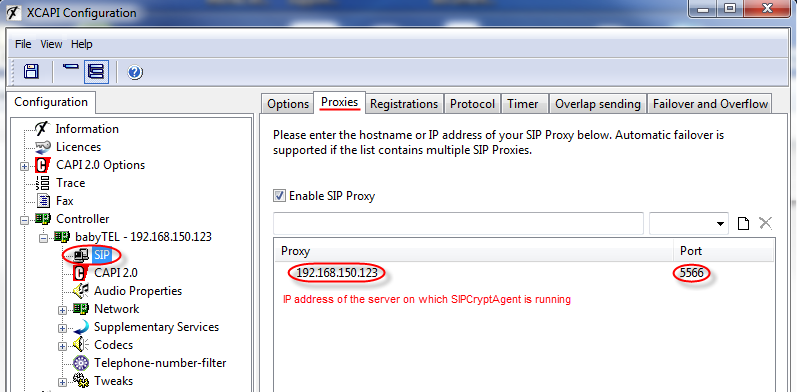
Then open the XCAPI configuration again and go to menu: Proxies.
Enter the IP address of the server on which XIPCryptAgent is running, with port 5566:
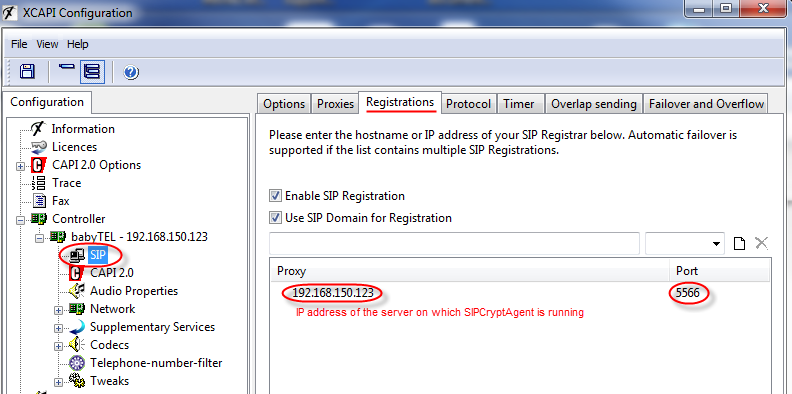
Next go to menu: Registrations.
Enter the IP address of the server on which XIPCryptAgent is running, with port 5566:
These steps should allow you to send and receive secure fax through Cloudli.
