The Validation tab allows additional validation processing to be configured. Most of these options are disabled by default. Those options are intended for larger fax operations that need to validate subscriber information against custom databases and/or Active Directory.
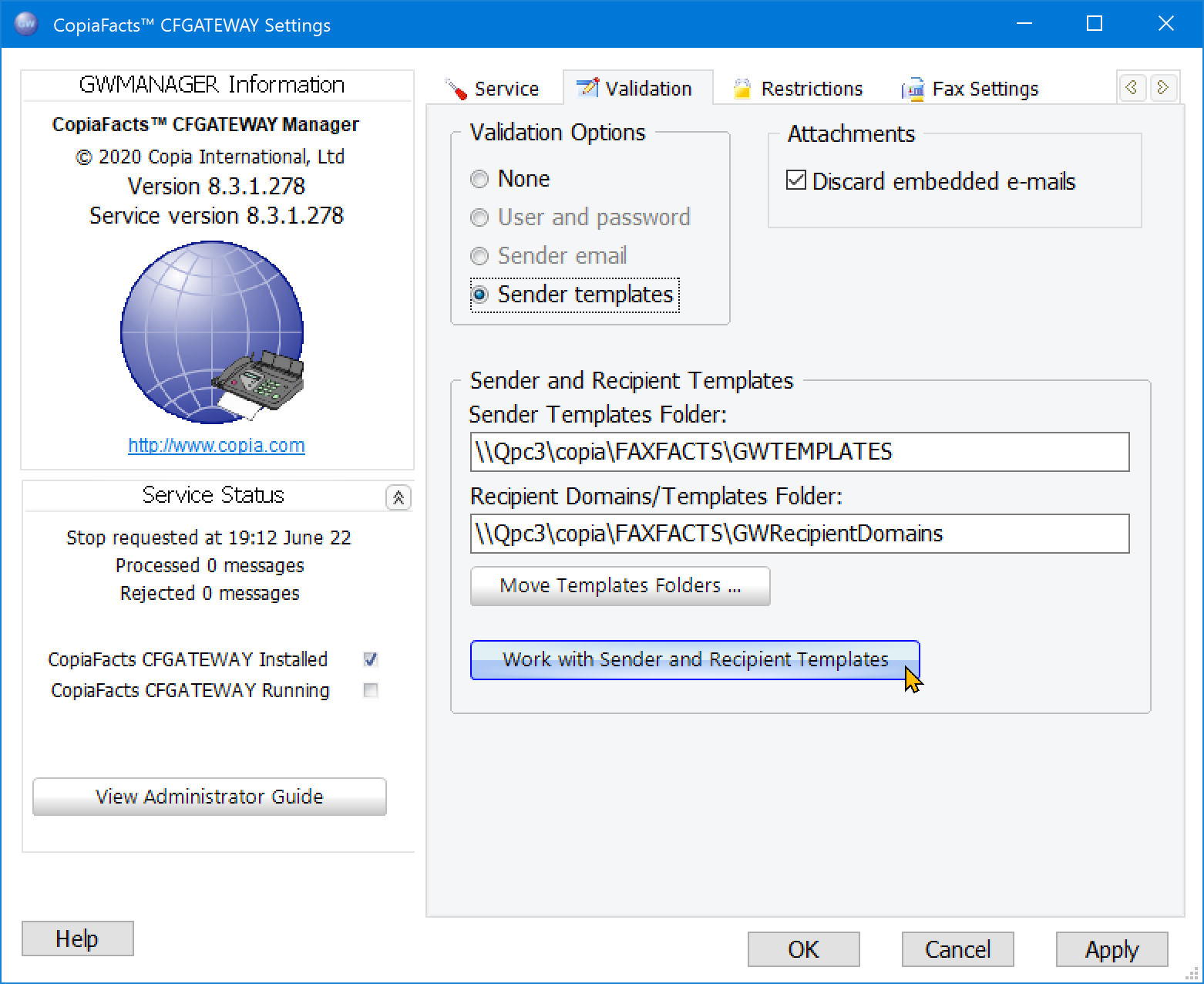
The typical gateway settings will be the defaults. Select none for validation options and pass through for validation methods when validation will not be used. The other validation options allow for custom validation of the sender’s name and password or email address either using a database look-up, SQL procedure, or Active Directory. Database or SQL procedure validation requires a Microsoft Universal Data Link file with appropriate connection settings for the database. The user may then select the table and fields or SQL procedure to use in validation. These settings are ignored by the standard gateway.
The Attachments field provides a special setting to discard incoming e-mail attachments which consist of an embedded entire e-mail message. This is usually caused by a sender forwarding an e-mail containing a document to be faxed instead of attaching the document itself. Since this attachment will usually consist of a very large encoded text file it can result in a large unwanted fax being sent. Check the box if senders cannot be relied on to avoid this error.
The next topics describe Sender Templates, Recipient Templates, and the use of the Gateway Manager in Working with Templates.
